
What if I have issues with my MFA?
If you have issues with your MFA, another admin can reset it for you via the Partner Homepage by selecting the admin from the list at the bottom of the page, but if no other admins are available, you must submit a support ticket to Phin's team for a reset, noting that company-level admins cannot reset other admins' MFA and only Partner-level admins can reset company-level admins' MFA.
- 1.Help Center
- 2.FAQ
- 3.Admin Access
What if I have issues with my MFA?
If you are having issues and need to have your MFA reset, this can be reset from the Partner Homepage!
If you need your MFA reset, you can have another admin reset this for you.
On your partner homepage, navigate to the list of admins at the bottom of the page and find the admin whose MFA needs to be reset.
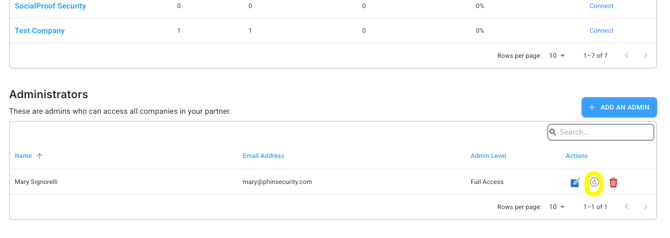
Company-level admins can have their MFA reset by a Partner-level admin inside the Phin portal. Company-level admins cannot reset other admins' MFA at this time.
If you do not have other admins, you will have to submit a ticket for Phin's support team to reset it.
Was this article helpful?
YesNo